Web UI
agtail serve opens a search-first, two-pane viewer on http://127.0.0.1:8765. It binds to loopback only and makes no external calls — the local process exists because a browser can't read your filesystem directly; it reads the transcripts and hands them to the page.
agtail serve            # then open http://127.0.0.1:8765
agtail serve --port 9000
For live UI development (hot reload), pnpm dev:web runs a self-contained dev server with the same API built in — no separate backend needed.
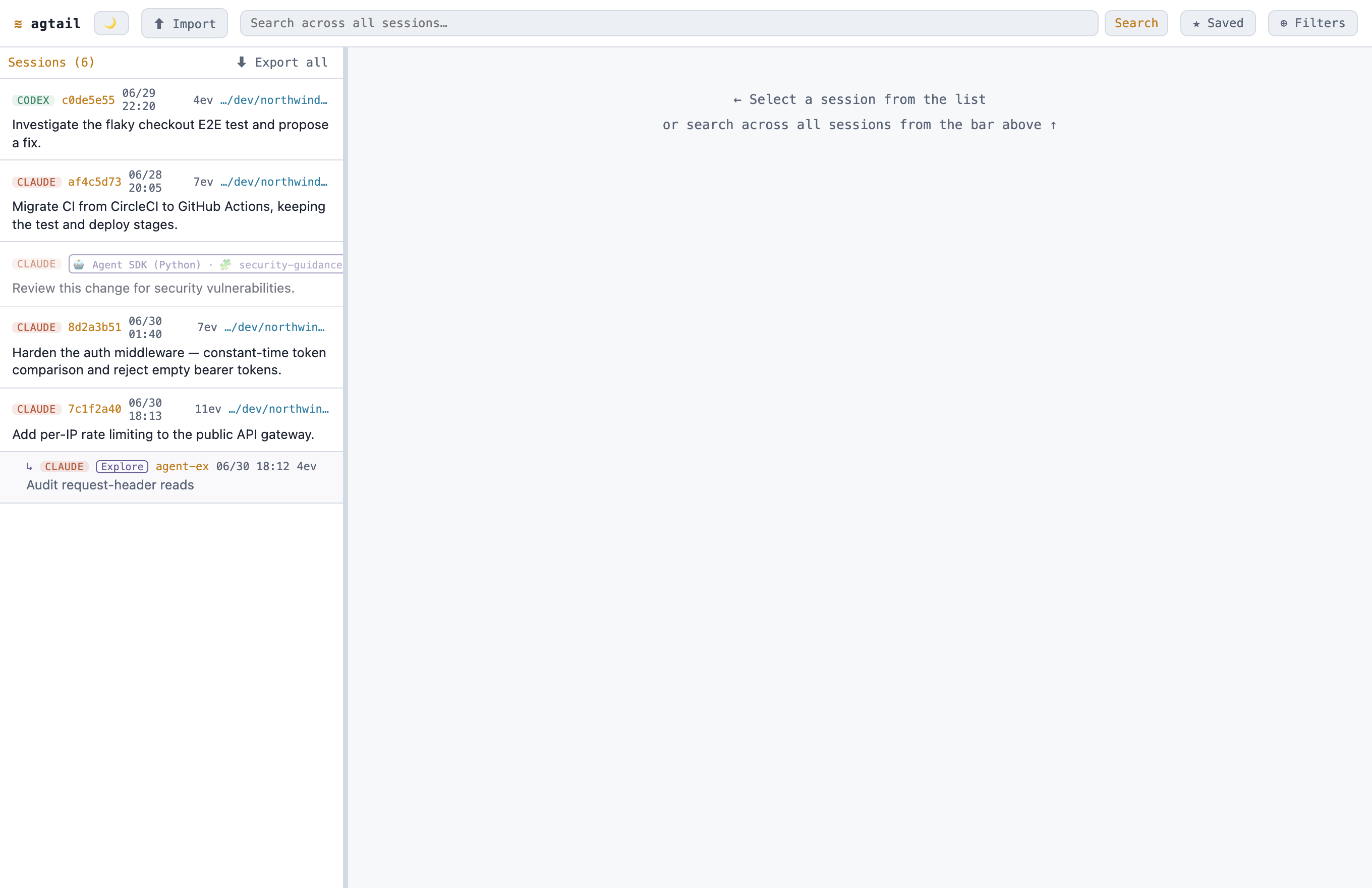
Header
From left to right:
- Theme toggle (☀ / 🌙) — switch between dark and light; the choice is remembered.
- Import — pull in a session bundle exported from another machine (see Cross-machine sync).
- Search box — cross-agent grep. Focusing it drops down your recent searches; typing filters them.
- ★ Saved — save the current search + filters under a name, and re-apply or manage saved searches later.
- ⊕ Filters — open the filter popover (below). The button shows the number of active filters.
- Source switcher — appears only once you've imported at least one collection; scopes the whole view to All sources, Local (this machine), or one imported collection. It's orthogonal to the content filters.
Active filters also show as removable chips under the header.
Filters
The ⊕ Filters popover holds every narrowing control:
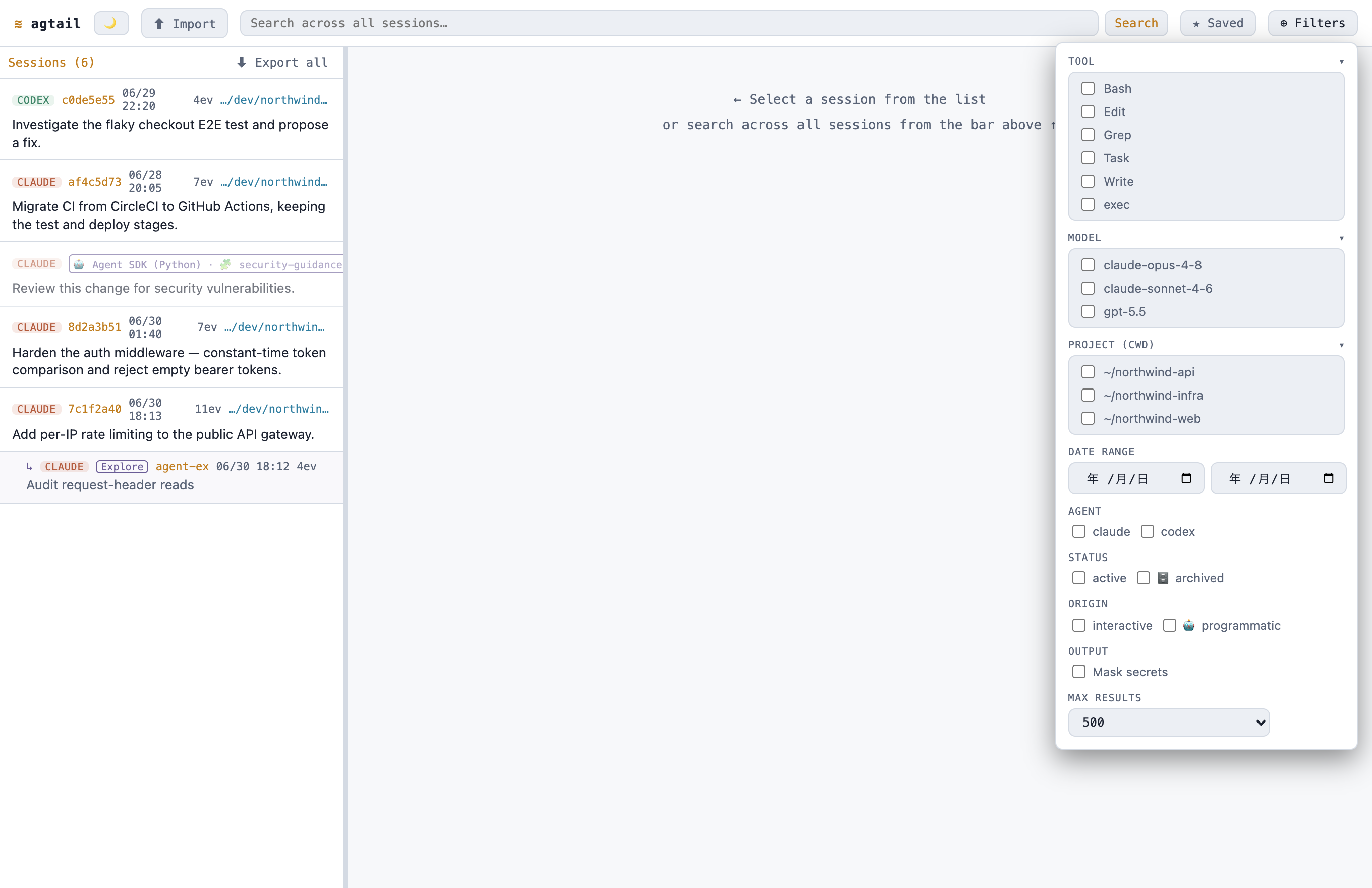
- tool / model / project (cwd) — multi-select checklists, populated from a cached
/api/facetsscan of what actually appears in your history (so they're finite, selectable lists, not free text). The tool list adds anmcp__*convenience entry when any MCP tool is present. Long lists start collapsed. While the facets load, the lists show a brief skeleton placeholder rather than popping in. - date range — since / until.
- agent — claude / codex.
- status — active vs. 🗄 archived sessions.
- origin — interactive vs. 🤖 programmatic (SDK-driven) sessions.
- output — a Mask secrets toggle.
- max results — cap the result count.
Clear all resets everything at once.
Left pane — the unified list
One list, newest first. It shows sessions by default and switches to search hits when a content search is active; each hit row jumps to its session and shows a match count.
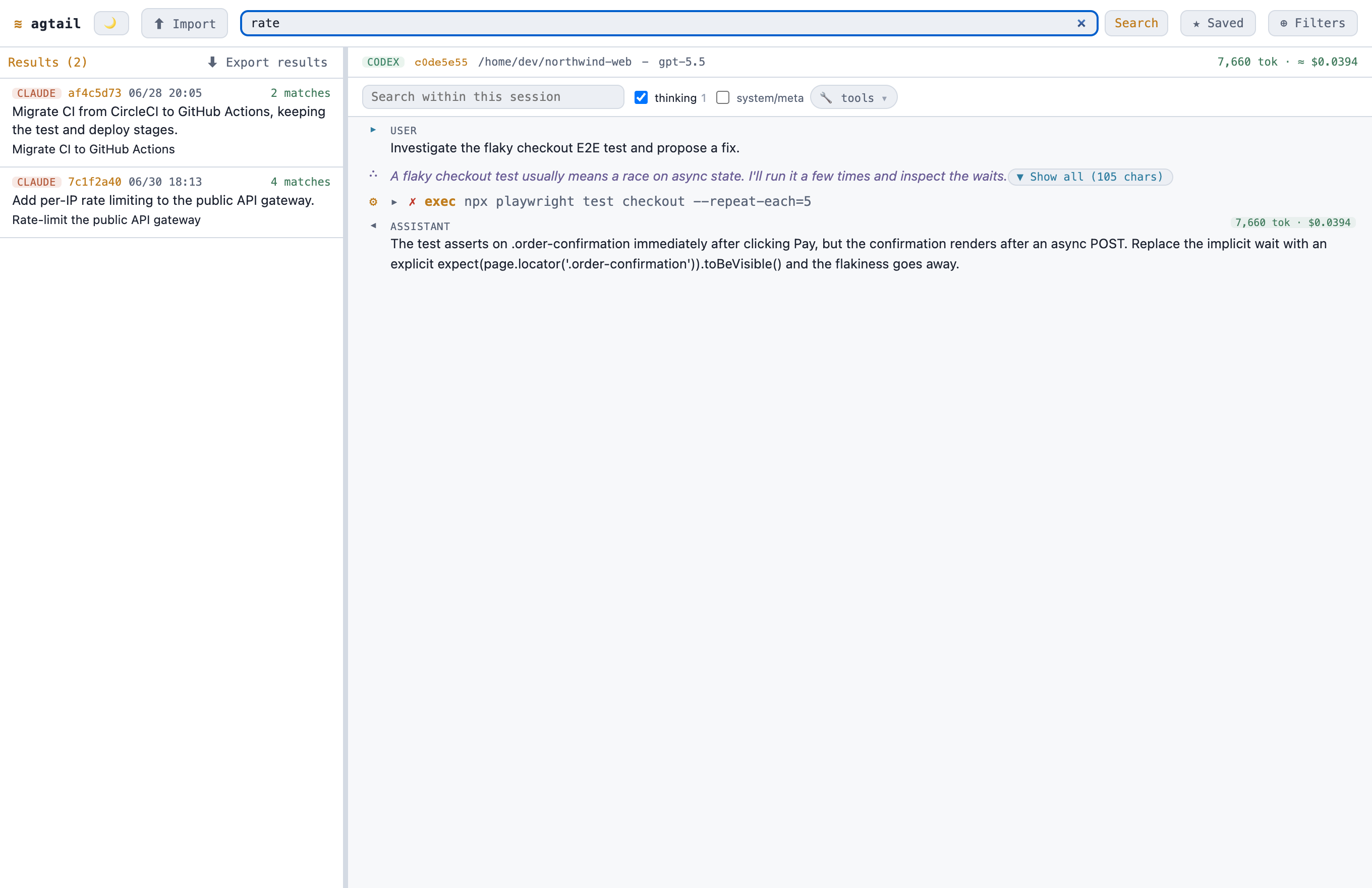
Each row carries its provenance at a glance:
- A source tag (claude / codex).
- Subagent sessions are nested under their parent, badged with the agent type (e.g.
Explore). - Marks for 🗄 archived, imported (from a collection), and 🤖 programmatic sessions; an SDK-spawned session also shows a 🧩 plugin chip naming the plugin that launched it (when that plugin is installed locally).
The list header shows the count and an Export action — Export all, or Export results when a search/filter is active (the filtered export re-runs your filter server-side). The divider between the panes is draggable to resize the sidebar; the width is remembered across reloads.
Right pane — timeline
The selected session, rendered as a timeline:
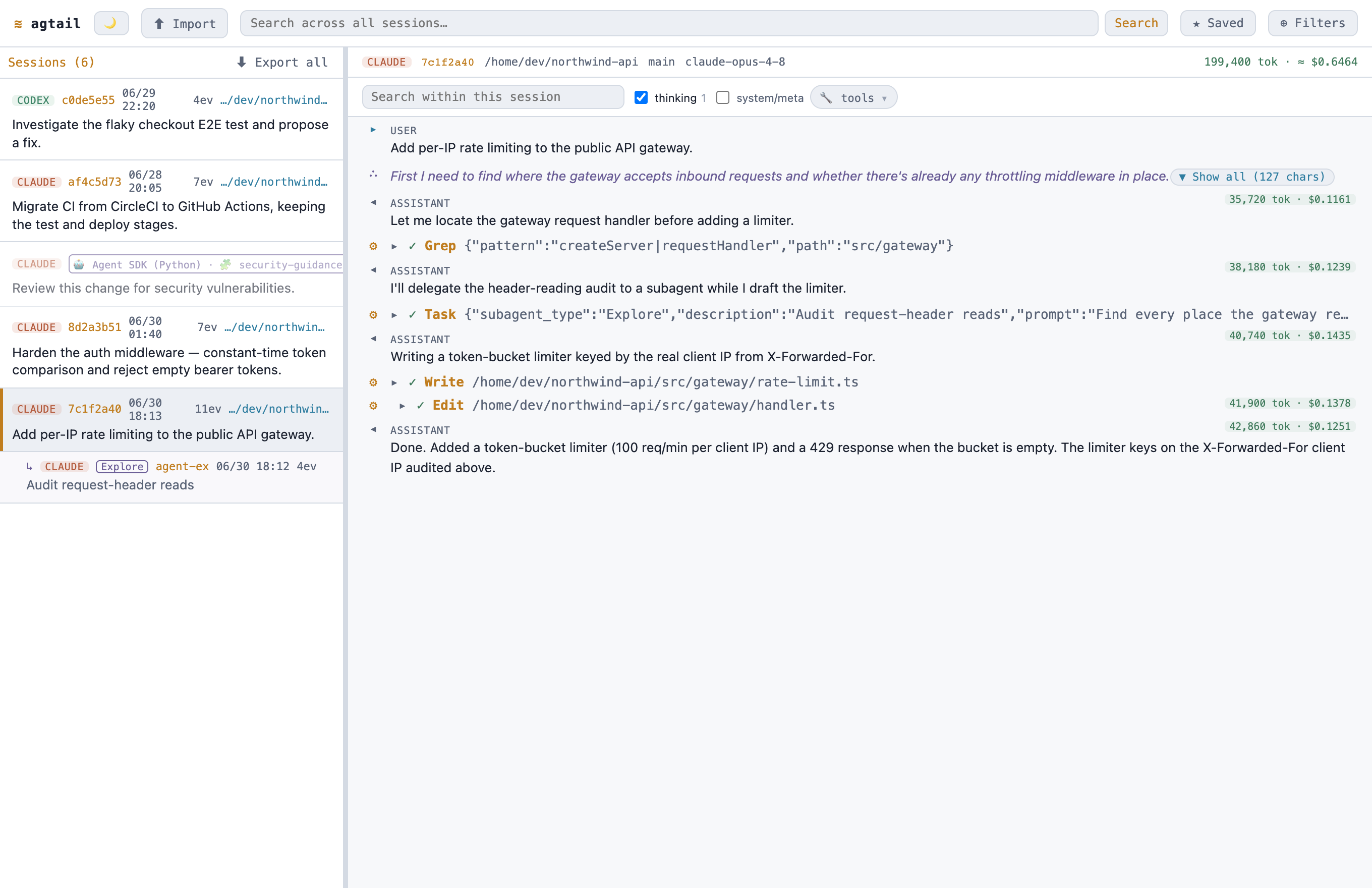
- Assistant / user text is rendered as Markdown.
- A sidechain "user" message is labeled
agent— inside a subagent thread that text is the parent agent's instruction, not the human. - Tool calls show a header you can expand (
▸/▾) to reveal input and result. - Heavy blocks (long text, thinking, raw
unknownrecords) are collapsed by default with a "Show all" affordance. - Each turn shows a token / cost badge pinned to the top-right (see Tokens & cost); the session header shows the totals.
Hooks
Hook firings are first-class events in the timeline, not noise:
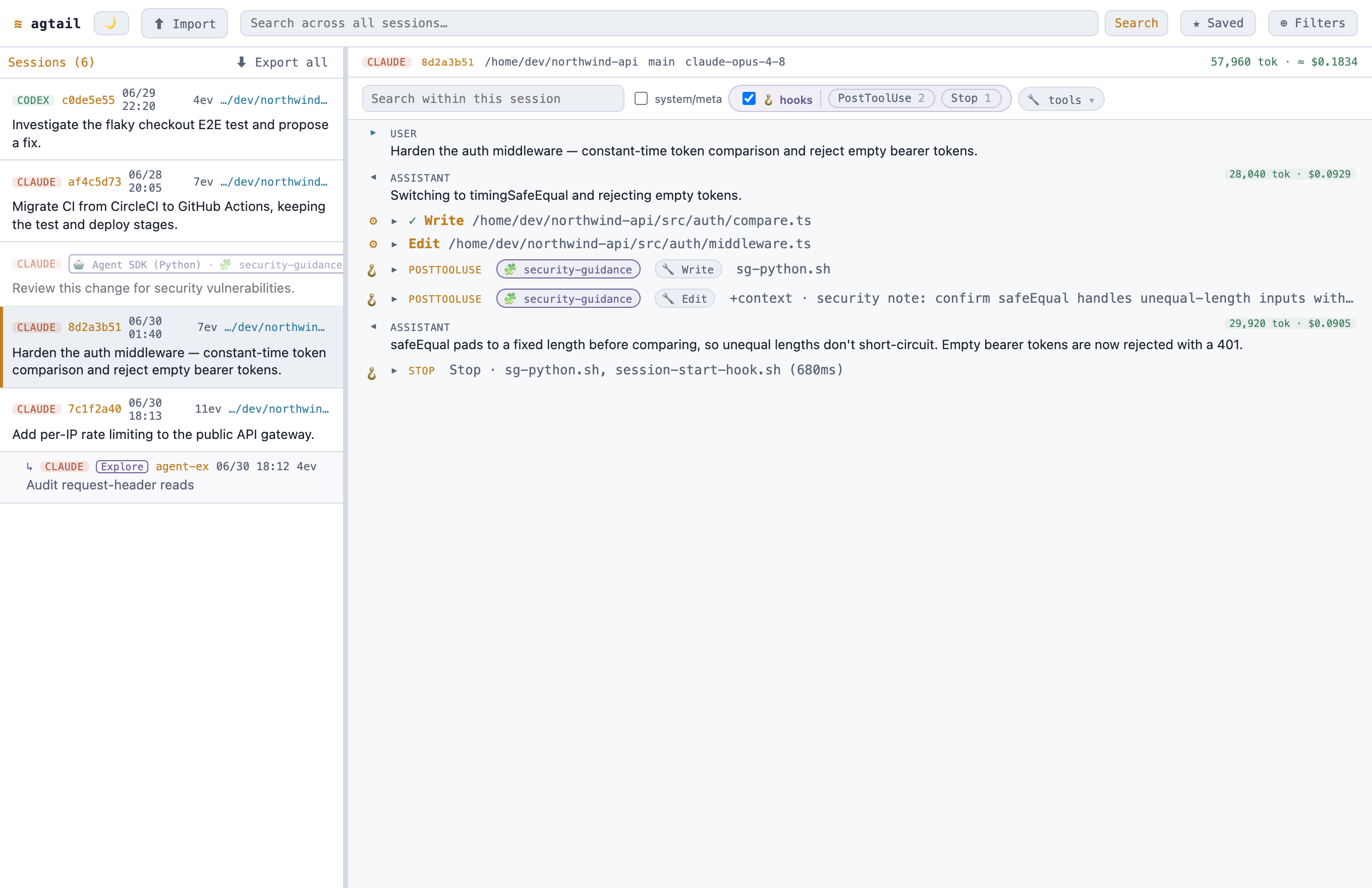
- Each hook event names its event (PostToolUse, Stop, SessionStart, …) and resolves the tool that triggered it (🔧).
- A 🧩 plugin chip names the plugin the hook belongs to, matched against your locally-installed plugins.
hook_additional_contexthooks surface the text they injected (+context · …), not just a bare marker.- A
Stopsummary lists the hook scripts that ran and the total duration.
The in-session search header has toggles to fold hooks, tool calls, thinking, and system messages in or out, with per-event-type counts.
In-session search
A search box in the timeline header filters the current session to matching events, highlights the term, shows a match count, and auto-expands matching tool details. It follows the page as you scroll, and is separate from the global (cross-session) search.